
U-SYNC Manual
# What is U-SYNC
U-SYNC is our custom technology getting your Nome and all hardware connected to it in perfect time with your DAW. It was developed in collaboration with Reliq Instruments.
U-SYNC 2.0 is available for macOS and Windows, and it works with Nome II, Nome I (Midronome), and Reliq.
All it requires is:
a USB cable between the Nome and your computer (no dedicated audio output is needed)
a track with the U-SYNC plugin loaded in your DAW
# Supported DAWs
U-SYNC officially supports Ableton Live, Bitwig Studio, Logic Pro, Cubase, Nuendo, Pro Tools, Reason, FL Studio, Fender Studio Pro, Reaper, and LUNA.
Bi-directional control, i.e. changing the tempo and starting/stopping from either the Nome or the DAW, is available in Ableton Live, Bitwig Studio, Logic Pro, Cubase, Nuendo, Reason, FL Studio and Reaper.
Pro Tools, Fender Studio Pro and LUNA only support one-directional sync where the DAW controls your hardware.
# Getting Started
Check out the getting-started video on YouTube and its associated Blog Article.
Run the U-SYNC installer and follow the instructions. Make sure to install the right plugin type and integration for your DAW. If in doubt, install everything.
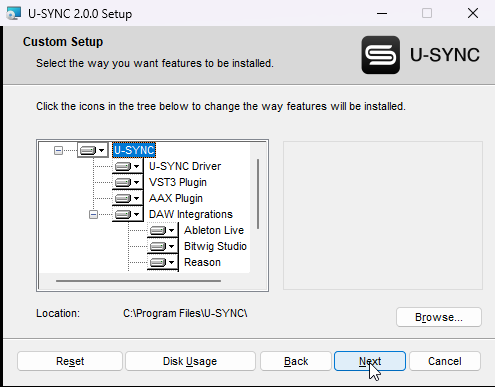
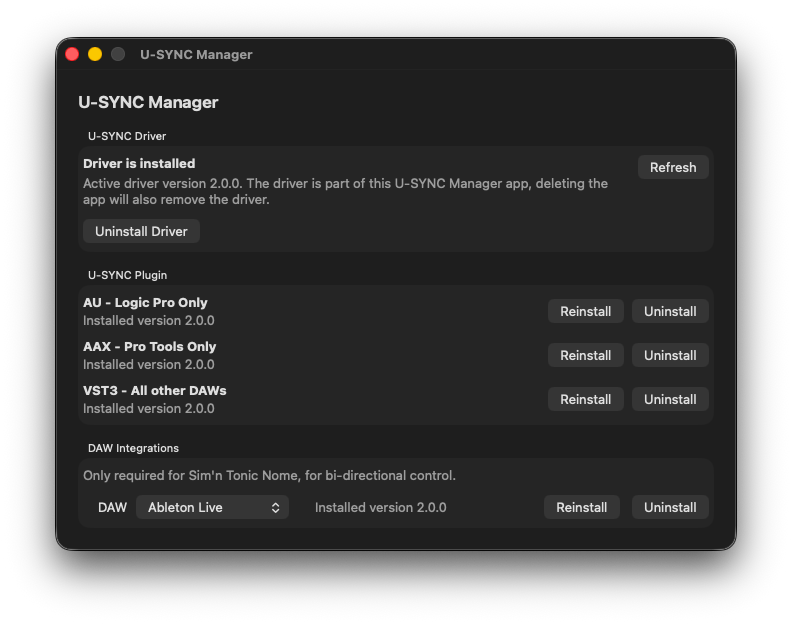
Then start a new DAW session, create a new instrument track, and load the U-SYNC plugin. (Tip: in Logic you’ll find the plugin under “AU Generators”)
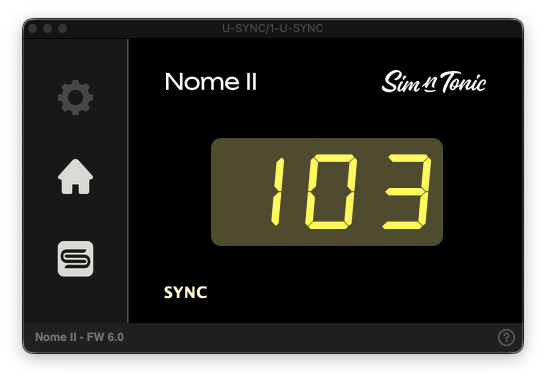
In the Plugin, select your device, wait for calibration to be finished, and press play.
# Your DAW Settings matter
U-SYNC works best with your DAW’s default settings.
Most importantly:
Make sure plugin delay compensation is on
Make sure that all MIDI clock or sync is disabled in your DAW. U-SYNC handles the sync, not MIDI, not the DAW.
Do not record-arm or select the U-SYNC track
In Reaper, you must set the U-SYNC Track performance options to “Prevent anticipative FX”.
# Bi-directional control
U-SYNC supports bi-directional control for Nome in Ableton Live, Bitwig Studio, Cubase, Nuendo, FL Studio, Reason, Logic Pro, and Reaper. This means that you can change the BPM and control start/stop both from the Nome and from the DAW.
The plugin makes sure the Nome is synced to the DAW, while making sure the DAW is synced to the Nome - aka the other direction - is done using a Control Surface (also called Controller, or MIDI Remote script in some DAWs). The Control Surface is called “U-SYNC Nome” and should be connected to the Nome USB-MIDI port called “DAW Control”.
In Ableton, Cubase, Nuendo, and FL Studio, the Control Surface should be automatically added. If not please check the DAW’s Control Surface list. In Bitwig, go to Settings -> Controllers, find the Nome and enable it. In Reason, open the MIDI Settings and press “Auto-detect surfaces” while the Nome is connected to add it. For Logic and Reaper, the Control Surface needs to be manually added - follow the instructions in the PDF given by the U-SYNC installer.
See also Bi-directional control not working.
# Adjusting the latency
You can adjust the latency using the slider in the Plugin settings, or use the “auto detect” button where available to measure it automatically. Follow the steps shown inside the plugin. For help, see Auto-detection troubleshooting.
Unlike traditional MIDI Clock, U-SYNC ensures that the latency between the DAW timing and your recording is stable. This means that once that latency is adjusted, your recordings will land on the DAW grid every single time you press record. Restarting the DAW or even your computer will not affect that.
Note: in some DAWs, be aware that changing the buffer size will require to readjust the latency.
Once you found the ideal latency setting for your setup, we recommend to save the plugin settings as a preset, so you can load those settings in a new session.